SuPHP directive for php.ini on shared servers
SuPHP (Single user PHP) is a php handler, which executes PHP scripts with the permissions of their owners. It is installed on all our shared servers. Using this option, you can make settings from the chosen php.ini file global for the entire account.
If php.ini is located in public_html folder, to enable it globally for the hosting account you should add the following configuration directive to .htaccess file:
<IfModule mod_suphp.c>
suPHP_ConfigPath /home/USER/public_html
</IfModule>
NOTE: make sure you replace USER with your cPanel username
This option tells mod_suphp which path to pass on to the PHP-interpreter and which folder to execute php.ini from.
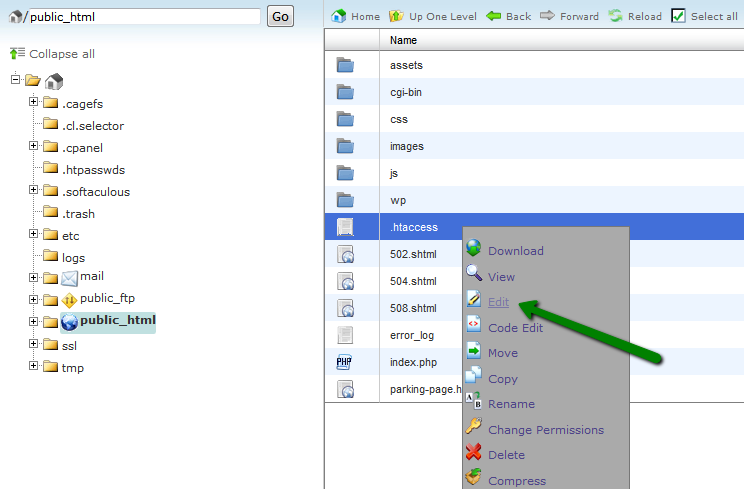
To add these lines to .htaccess file, right-click on it and hit Edit
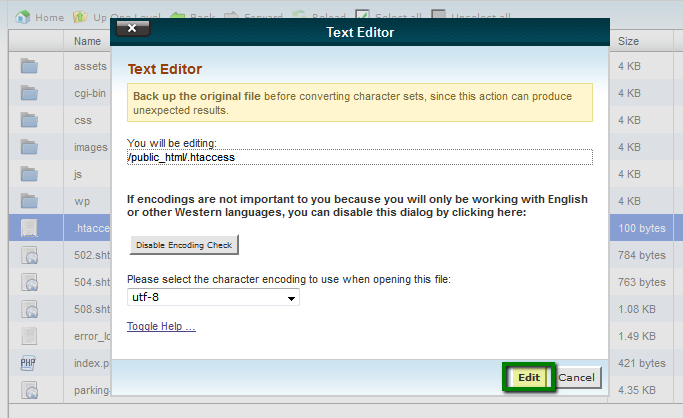
Add the lines provided below existing rules and Save Changes.
If you have done it right, designed php.ini will take immediate affect

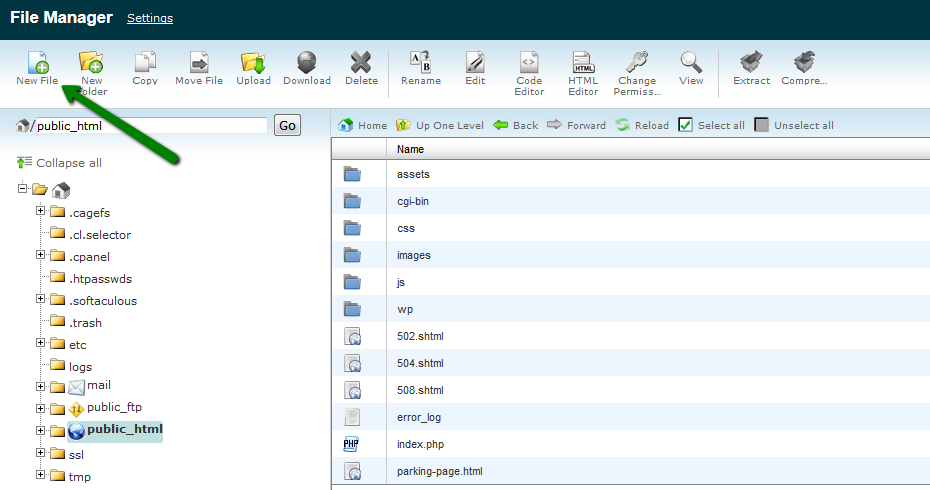
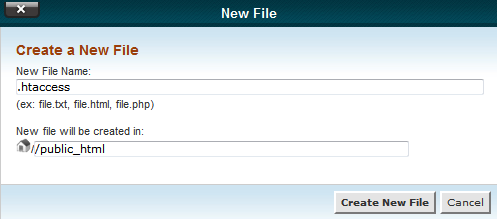
In case there is no .htaccess file in the document root, you need to create one via New File option and edit it following the guidelines above
If you need to load php.ini for/from subdirectory, make sure you edit ConfigPath accordingly

This is it!
Need any help? Contact our Helpdesk
About Author
