How to reset WHMCS admin password
There are two ways of changing the password for your WHMCS installation.
- Reset via website
You can request WHMCS admin password reset at the login window.

Type in the email address you used during the installation.
If the email address is correct the form should automatically send the password reminder email you can recover his access to WHMCS website profile.
- Reset via database
If for some reason password reset email does not arrive to your email address, follow the steps below to reset the password via database.
- Log in your cPanel and navigate to Databases section
- Go into phpMyAdmin
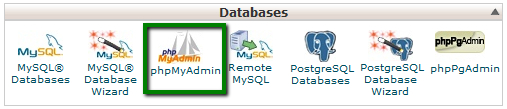
- Once inside, find the database in question and look for tbladmins table. Click on Edit next to the admin user in question

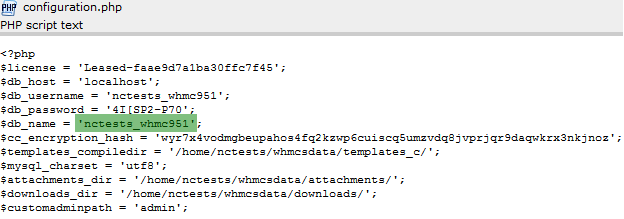
* If you do not recall the database name of your WHMCS installation, check configuration.php file located in the root folder
- On the next page look for password column.
In the last field enter the new password and select MD5 hash option.In the passwordhash column you need to remove the value from the last field

- Once done, scroll down to the bottom of the page and click on Go.
This is it!
Need any help? Contact us via HelpDesk
About Author
