How to import and export database via phpMyAdmin (“Access denied create database db_name” error)
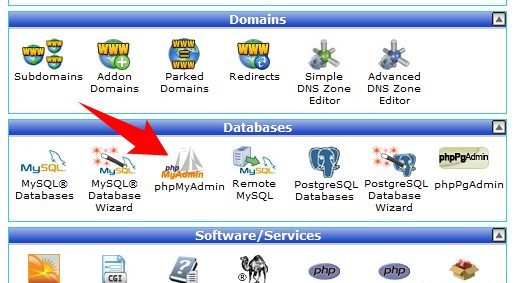
In cPanel you can import and export databases using the menu phpMyAdmin, which you can find in the section Databases.
Please note, only databases of 50MB maximum, can be imported/ exported in PHPMyAdmin. Larger databases have to be imported/exported via SSH. To do this follow the instructions here or simply submit a ticket to our HelpDesk.
To import a database:
• Log in your cPanel.
• Navigate to PHPMyAdmin in the section ‘Databases’

• Select the database that you will need import to.

• On the upper bar, click the tab ‘Import’.
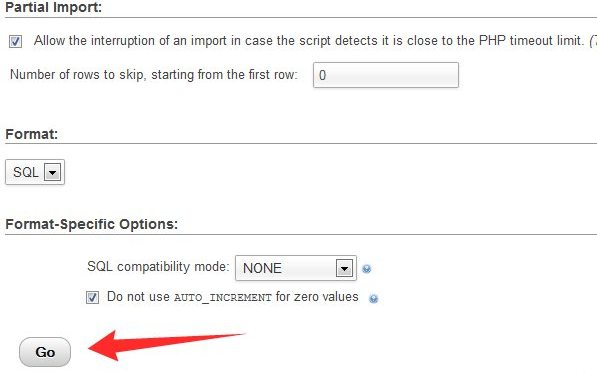
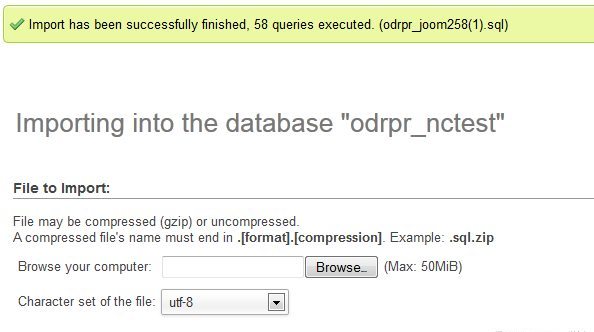
• Click ‘Browse’ and locate the .sql file from your computer.
• Click ‘Go’ so that it is imported into the database.
• And you will see a notification that your database was successfully imported.
To export a database:
• Log into cPanel.
• Navigate to PHPMyAdmin in the section ‘Databases’
• Select the database that you need to export

• Choose the tables that you need to export, or click ‘Check All’

• On the upper bar, click the tab ‘Export’

• Select the required file from the drop-down menu in ‘Format’ and click ‘Go’ button.

“Access denied create database db_name” error. How to fix it?
If you received this error message, you can resolve the issue by following the next steps:
• Open the dump of your database using any text editor on your computer ( for instance, Notepad or WordPad);
• Find the line :
CREATE DATABASE db_name ( it can usually be found at the beginning )
(*db_name – your database name ).
And delete it.
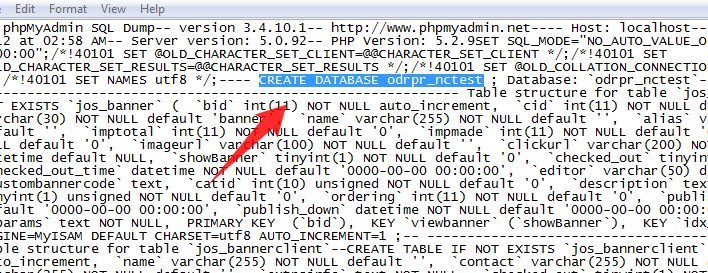
• Save it and import it using the instructions provided above.
About Author
