How to edit php.ini on business servers
php.ini is the default configuration file for running applications that require PHP.
It is used to control variables such as file upload size, file timeouts, resource limits, etc.
Before proceeding, download php.ini for the required PHP version:
PHP 5.2
PHP 5.3
PHP 5.4 – 5.6
Once done, login to your cPanel – section Files – File Manager

Find .system-php in the folder tree on your left

Navigate to ini folder and choose the required version
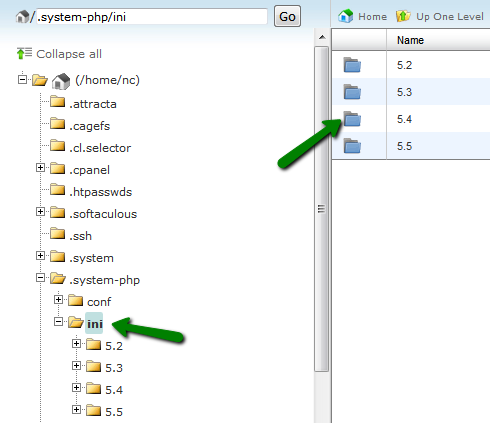
Select the domain folder you want to edit php configuration for

Click on Upload to add the corresponding php.ini file if it is not there yet

Extract the file from the archive, if required

Rename it to php.ini and right-click to proceed with modifications of PHP values

Once done, Save the changes.
To find out current PHP version and configuration, refer to this article
This is it!
Need any help? Contact our Helpdesk.
About Author
