How to create Suspension Page
The Suspension page is the HTML page that will appear if someone is attempting to access the site that has been suspended. You can modify the page and add there any desired information.
In order to customize your Suspension Page follow the steps below:
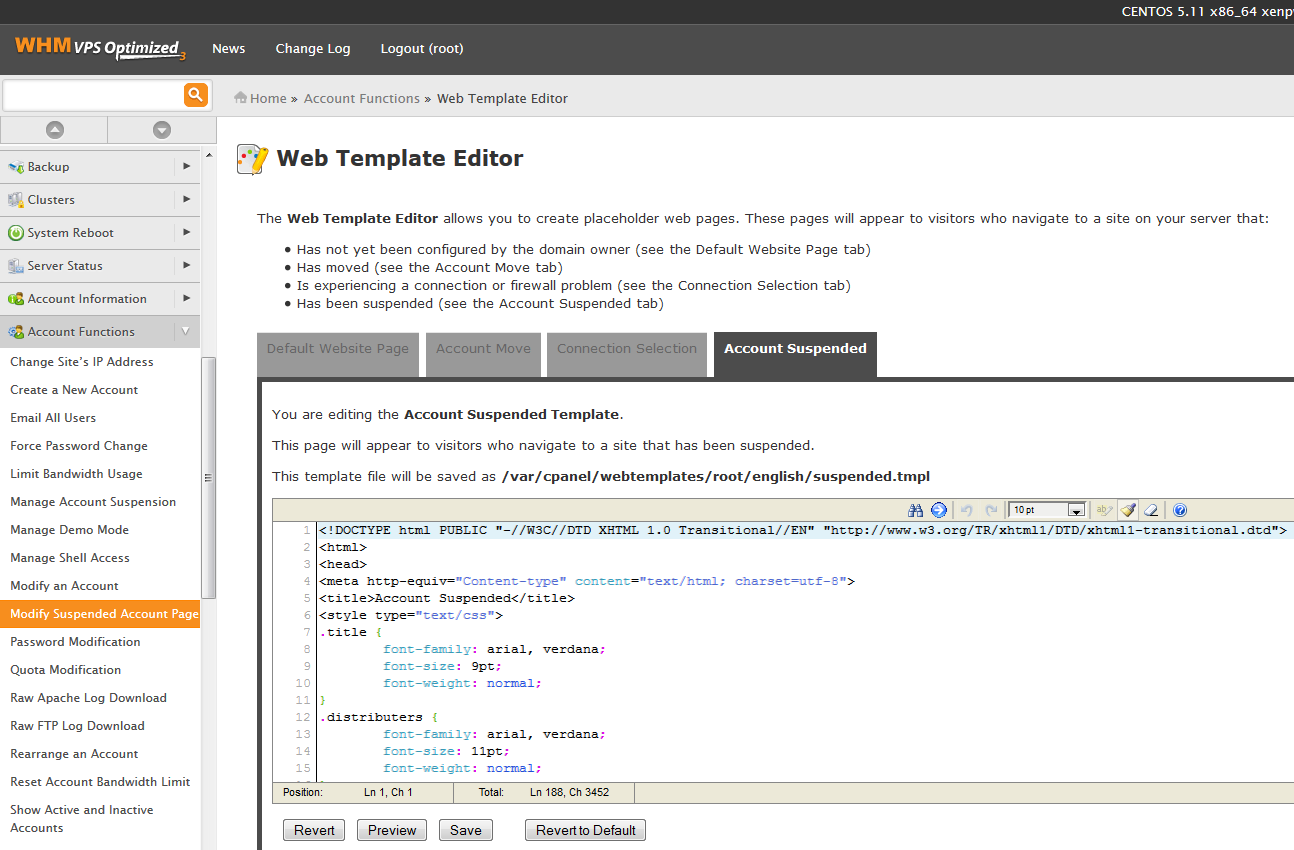
1. Login to your WHM, go to Account Functions
2. Click on Modify Suspended Account Page
You may completely change the default Suspension Page by pasting the HTML code of your page over the content of the default Suspended Account page, or just modify the provided HTML code.
3. Save the changes once done
This is it!
Need any help? Contact our Helpdesk
About Author
